
Follow these steps to add Ezoic ads:
You can download ADSforWP Plugin from here.
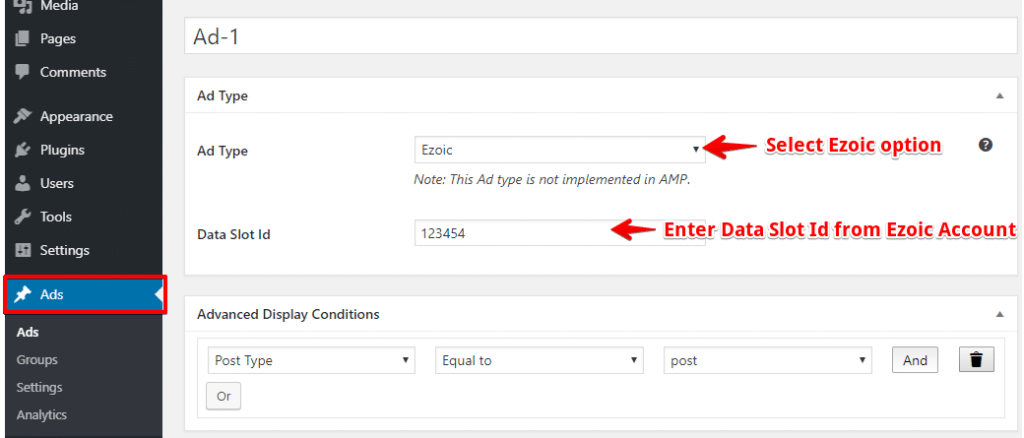
Step 1: After installing this plugin Ads option will be displayed on the WordPress dashboard ->Ads Option -> create new Ads.
Step 2: In Ad Type, you need to select the “Ezoic” Option.
Step 3: In this option, you need to enter “Data Slot Id” you will get this ID from Ezoic Account.
Step 4: Click on the “Publish” button and the Ezoic ads will be displayed on your AMP page.
Advanced Display Conditions

- In this section, you need to set the condition for the specific post or page or all posts where you want to show Ezoic Ads.
That’s it for this tutorial!
We hope it helped you. If you have any feedback or questions or do you want us to create compatibility for any other Ad company which isn’t listed in our plugin then you can request us we will surely implement it as soon as possible.
Just contact us here and we are always available for you.